
Mobile Document Signing: How to Create a Paperless Workflow on iPhone
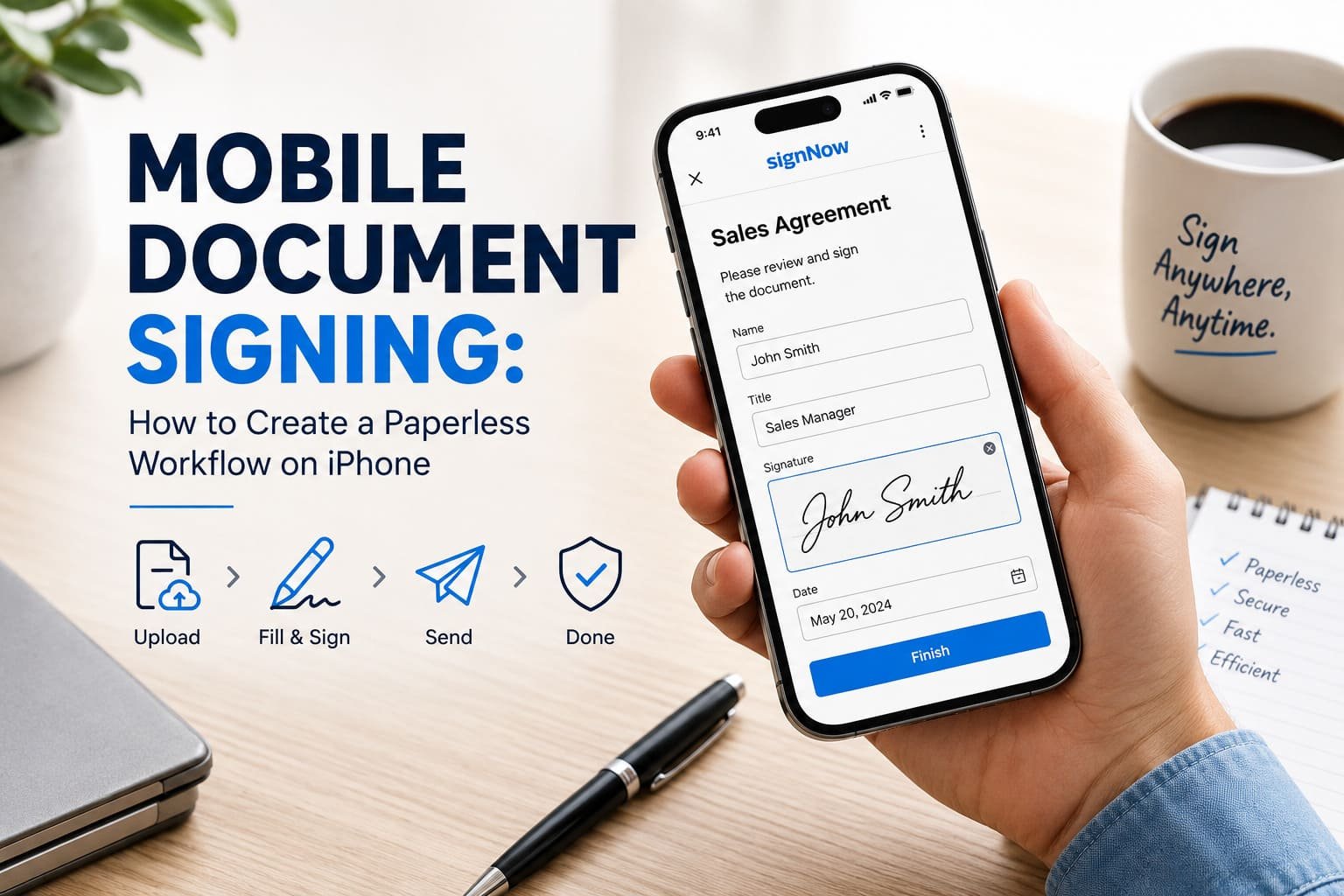
Printing a document, signing it, scanning it, and emailing it back sounds simple—until you repeat the process 20 times a week. Suddenly, your printer becomes the busiest employee in the office. An iPhone can remove much of that friction by letting you fill, sign, send, and manage documents digitally wherever you work.
For teams exploring mobile eSignatures, an ios pdf electronic signature library can help users understand how to handle PDF signatures directly from an iPhone. The bigger opportunity, though, involves building a complete paperless workflow instead of simply replacing a pen with a touchscreen.
Why Use an iPhone for Document Signing?
The biggest advantage of mobile document signing comes down to fewer handoffs. Instead of waiting for someone to print a contract, sign it, scan it, and send it back, the signer can complete the document from an iPhone. That matters when employees work remotely, sales teams visit customers, or managers approve paperwork away from their desks.
A useful paperless workflow usually follows a simple path:
- Prepare the document and required fields.
- Send for signature to the appropriate people.
- Fill and sign from an iPhone.
- Track the signing process.
- Store the completed document and audit records.
Why make five steps out of something that can happen digitally? Exactly. The goal isn’t simply to eliminate paper. It’s to eliminate unnecessary movement, waiting, and manual follow-up.
How to Build a Paperless Signing Workflow on iPhone
A practical workflow starts before anyone touches the signature field. First, prepare the PDF and identify every person who needs to provide information or an electronic signature. Add the appropriate fields so signers don’t have to guess where they should type, initial, or sign.
From there, the workflow can follow this sequence:
- Open or upload the PDF from your iPhone.
- Add text, signature, date, or other required fields.
- Assign each field to the correct signer.
- Send for signature by the appropriate method.
- Complete the document on the iPhone.
- Review the finished record and retain the audit trail.
The important distinction here involves workflow design. A good mobile process doesn’t merely let someone sign a PDF. It guides the document from preparation to completion without forcing someone to jump between apps, printers, scanners, and email threads.
Using signNow for Mobile eSignatures
signNow provides a practical example of how an eSignature platform can support this process. Users can work with documents from mobile devices, prepare fields, collect signatures, and maintain audit trails. The platform also supports two-factor authentication, while its security approach includes TLS 1.2/1.3 for data in transit and AES-256 encryption at rest.
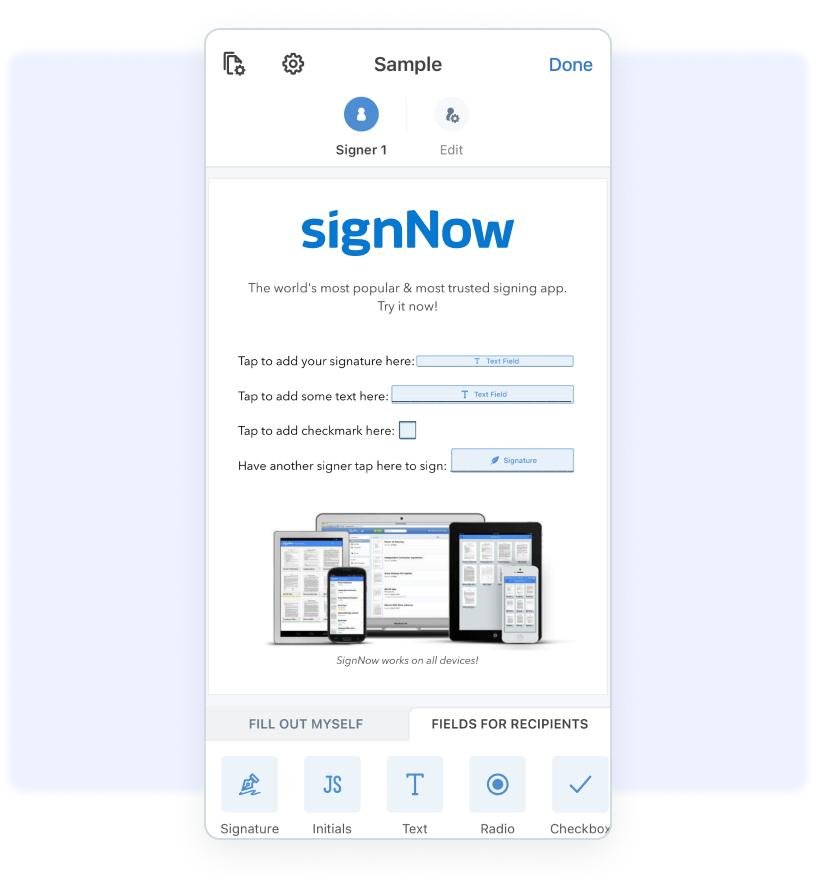
signNow’s mobile signing interface demonstrates how users can work with electronic signatures from an iPhone.
The scale also gives some useful context. signNow reports 28 million users and use by 352 Fortune 500 companies, with organizations such as Apple, Walmart, FedEx, Tesla, and Xerox among its clients. For businesses evaluating a paperless workflow, those numbers provide context without requiring every company to operate at enterprise scale.
Practical Use Cases for Mobile Document Signing
Mobile eSignatures make particular sense when people need to sign documents away from a traditional office. Consider real estate: an agent can work with a lease or agreement while meeting a client rather than waiting until everyone returns to a desk.
Healthcare presents another important example. Organizations handling protected health information need appropriate controls, and signNow supports HIPAA with a BAA required. Finance and legal teams can also use mobile workflows for agreements, approvals, and other documents that require careful recordkeeping.
HR teams have a straightforward use case too. Instead of handing a new employee a stack of onboarding forms, HR can send documents electronically and let the employee complete required fields and signatures from an iPhone.
Other useful scenarios include:
- Real estate: leases and purchase-related documents
- Healthcare: forms and consent documentation
- Finance: approvals and agreements
- Legal: contracts and acknowledgments
- HR: employee onboarding paperwork
Ever notice how many document delays come from simply waiting for one person? Mobile signing attacks that bottleneck directly.
Security and Legal Considerations
Going paperless doesn’t mean ignoring security. In fact, electronic documents require thoughtful controls because businesses need to know who signed, when they signed, and how the organization can maintain reliable records.
For U.S. businesses, the ESIGN Act and UETA provide important legal frameworks for electronic records and signatures. The Electronic Signatures in Global and National Commerce Act establishes that a contract or record generally cannot lose legal effect solely because it uses an electronic form. (Congress.gov)
UETA also addresses electronic records and signatures at the state level. Businesses should still review the rules that apply to their specific transaction because electronic-signature requirements can vary by document type and jurisdiction. (Legal Information Institute)
For organizations with stricter requirements, signNow lists compliance with ESIGN, UETA, HIPAA, SOC 2 Type II, GDPR, 21 CFR Part 11, PCI DSS, ISO 27001, CCPA, and eIDAS. Its security controls include audit trails and 2FA, giving organizations additional tools for maintaining document records.
Tips for Making Your iPhone Workflow Actually Work
A paperless workflow can still become messy if you simply move the same inefficient process onto a phone. The trick involves designing around the smaller screen and reducing unnecessary steps.
Keep forms straightforward. Put required information in obvious places and avoid making signers hunt through a long document. If multiple people need to sign, establish the signing sequence before sending the document.
It also helps to decide where completed documents should live. Consistent storage prevents the classic “I know we signed it somewhere” problem.
For businesses, cost and scalability matter too. signNow pricing starts at $8 per user per month for Business when billed annually, with unlimited users on paid plans and no envelope cap. Its reported outcomes include an average 700% first-year ROI, savings of up to 6 hours per week per employee, and an 80% document completion rate.
FYI, those figures describe reported signNow outcomes rather than a guaranteed result for every organization. Your actual results will depend on your workflow, document volume, and how effectively your team adopts mobile signing.
A Simple Paperless Workflow to Start With
You don’t need to redesign every business process overnight. Pick one document that frequently causes delays and turn that process into a mobile-friendly workflow first.
For example, an HR team could start with onboarding:
HR prepares the document → assigns required fields → sends for signature → employee completes it on an iPhone → HR reviews the completed record → the company stores the signed document and audit trail.
That same structure can work for real estate agreements, financial approvals, legal documents, and many other recurring processes. Once the team understands the workflow, it can identify other paper-heavy processes worth converting.
The real win comes from removing unnecessary steps. If someone can complete a document securely from an iPhone instead of printing and scanning it, why make them wait for a printer? 🙂
FAQ About Mobile Document Signing on iPhone
Can I sign a PDF on an iPhone?
Yes. An eSignature platform can let you open a PDF, complete required fields, and add an electronic signature directly from an iPhone. A mobile workflow can also let you send the document to other signers, collect their signatures, and retain the completed document and audit trail electronically.
Is electronic signing on an iPhone legally valid?
Electronic signatures can have legal validity in the United States under applicable laws such as the ESIGN Act and UETA. However, requirements can vary depending on the transaction and document. Businesses should review the rules that apply to their specific situation rather than assuming every document follows identical requirements.
How can businesses create a paperless signing workflow?
Start by identifying a document that regularly requires printing, signing, scanning, or manual follow-up. Convert the process into digital steps: prepare the document, assign fields, send for signature, collect signatures, and retain the completed record. Then test the workflow on an iPhone before expanding it.
Is mobile document signing secure?
Security depends on the platform, configuration, and organization’s practices. signNow uses TLS 1.2/1.3 in transit, AES-256 at rest, audit trails, and 2FA. Businesses should also select appropriate authentication methods and establish clear procedures for document access, storage, and retention.
What businesses benefit most from mobile eSignatures?
Businesses with frequent approvals or remote signers can benefit significantly. Real estate, healthcare, finance, legal, and HR teams all have practical mobile signing use cases. Field employees and managers can also complete documents away from a traditional office without returning to a printer-and-scanner workflow.
Final Thoughts
A paperless workflow doesn’t require complicated technology. The basic idea stays simple: prepare the document, send for signature, fill and sign on the iPhone, track completion, and keep the record organized.
The real benefit comes when mobile signing becomes part of a repeatable process rather than a one-off trick. Once your team stops treating the printer as the final boss of document management, your iPhone suddenly becomes a much more useful business tool.